Showing posts with label BlackBerry. Show all posts

Sunday, December 4, 2011

bench3

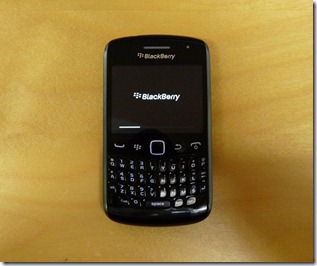
Blackberry Curve 9360 Advantages And Disadvantages

Blackberry is one of the most affluent names when it comes to mobile phones especially if you’re a big qwerty keyboard fanatic. The Blackberry Curve 9360 is the best looking handset from the Curve series so far. Blackberry Curve 9360 QWERTY messenger is compact and to the point, with clean and grown up design. The Curve 9360 is sure it can deliver, its confidence unshaken by unknowns and uncertainties.

It’s also the 4th Blackberry mobile phone model to be installed with the Blackberry 7. The new operating system is faster and smoother, and it allows for easier Blackberry-to-Blackberry messaging. This particular function is called the BBM and each SMS message is free.

However, it must be noted that depending on your location, you may be asked to pay a fixed monthly fee by your service provider for the feature. This can only be unlocked by the network.

The main reason why Blackberry mobile phones are very popular among teens is the BBM function. However, this would only count a lot to you if your friends own Blackberry handsets as well.

Blackberry Curve 9360 Advantages And Disadvantages

The phone is thinner and more compact than other Blackberry phones, though. With practice, the typing ease in this mobile phone should increase. However, when you’re after typing comfort, you might still choose the Blackberry Bold 9900 over this one. It’s a bulkier phone, but the qwerty keys are comfortably placed with enough space difference from each other.

The Blackberry 9360 has easy physical buttons on the side to control audio volume which would give you the impression, right away, that it’s really designed to double as an MP3 player.

The Blackberry 9360 can connect to the Internet through Wi-Fi and 3G, has a bright display with 480 x 360 resolution, and is equipped with a 5PM still camera with Geo-tagging functions. The phone can also take videos but only produce VGA-quality output.

If you’re looking for a phone with a lot of applications and a price that’s worth the number of functions it has, you might want to consider purchasing an Android phone instead.

The higher-res screen, robust processor and the new BlackBerry OS 7.0 with NFC support propel the 9360 into an entirely different dimension. Well out of reach for the Curve as we knew it - stuck at QVGA screens and 2 or 3 MP cameras.

While The Blackberry has also released phones with both qwerty keys and touchscreen functions, the Blackberry Curve 9360 has one slight setback: it has no touchscreen. You’ll have to make do with the mobile handset’s tracker ball which is responsive in its own right. However, navigating websites with the tracker ball is still more challenging that touching the screen for select icons, drag items, and scroll.

BlackBerry Maps works only with a BIS plan

As one would expect nowadays, the BlackBerry Curve 9360 is equipped with a built-in GPS receiver and comes with A-GPS support. For navigation you get BlackBerry Maps preinstalled.

Unfortunately it is yet another application that only works with a BlackBerry internet plan activated. And the only navigation option you get is directions.

To get directions you can enter an address straight from your phonebook and you can also save your favorite spots so you don't have to type them every time.

BlackBerry Maps also allows you to send your location to anyone via email or SMS, and that rounds off a decent but certainly not spectacular application.

Also, addresses that are included in messages are automatically detected and can be displayed on the map at the expense of a few clicks. The map data has also been updated to include more cities.

Just take a closer look at the Key features OF The Blackberry 9360:

  • Quad-band GSM and tri-band 3G support
  • 2.46" 16M-color TFT landscape display of HVGA+ resolution (480x360)
  • Optical trackpad
  • 800MHz processor
  • 512MB RAM, 512MB ROM
  • NFC support
  • 5 megapixel fixed focus, VGA video recording
  • BlackBerry OS 7
  • Hot-swappable microSD card slot (up to 32GB), 4GB card in the box
  • Smart dialing

Main disadvantages

  • BlackBerry Internet Service account is a must to enjoy all phone features
  • No Touch Screen
  • Poor still camera quality
  • Bland text-only submenus
  • Rigid call and navigation keys
  • Fixed focus camera
  • No HD video
  • Glossy back panel prevents good grip, easily greased up
  • Problem with battery for heavy users.

End Note:

The BlackBerry Curve 9360 is the best Curve experience to date. Looks good and works hard to meet your needs. The newly-found skill makes it the definitive upgrade for anyone coming from a previous generation of the Curves. It's the years of BlackBerry experience that many users will find hard to put behind.

Few have complaints that The BlackBerry Curve 9360 has a poor battery. But, there are lots of factors which contribute to poor battery life, Example, the network we are using, and the number of applications that we are running, display settings etc.

However, I would go with 9780 because of two things, first is obviously the battery life, and second would be the built quality. Bold feels very solid in hand, keyboard is softer and silent, trackpad is solidly planted into the unit unlike the curve, the four BB buttons are very nice on the Bold and easy to press, the battery cover also feel more solid with thicker plastic and leather finish on the outside.


The BlackBerry Curve 9360 delivers what is needed for for business and messaging. if you do not really care for other factors. As a professional, The BlackBerry Curve 9360 will serve you good.

I just hope it will come with a software update to improve its battery life but for the meantime, you need to have your charger with you where ever you go. Yes it lacks something regarding the battery performance.

It’s safe to predict that this comparatively mid-priced young Blackberry model will sell well in countries which already have a loyal population of Blackberry fans. However, for countries with few Blackberry users, it could be ignored simply because it lacks a touch screen and there are many mobile models with both qwerty and touch screen functions coming from both Blackberry and other mobile companies.
Read More

Monday, August 8, 2011

bench3

BlackBerry Curve 9360 (Apollo) Coming Soon

BlackBerry Curve 9360 (also known as BlackBerry Curve Apollo) have spoken so much ever since it first surfaced. But, we have been wondering why RIM prefers to stay silent even after making the device official some months ago. The rumor mill and the spies haven’t kept quiet, however.

There is no smoke without a fire and RIM most probably is lighting its own fire. We know that RIM actually fortifies its information and it is next to impossible that any information is leaked without their consent. If spreading rumors is RIM's PR strategy, it is a brilliant one.

Many a time have they brought to our table leaks and info about the device. We have stumbled upon yet another leak now. The latest Apollo leak comes in the form of a handful of images shot from different angles.

Folks at OneMobileRing have managed to get hold of the images, and they give us some good details too. You can also follow this link to see its photo shot.

Though RIM’s official confirmation is still pending, we feel the device is apparently thinner than the earlier models. It will sport a HVGA 480×360 display, a full QWERTY, a 5-megapixel camera with flash, NFC capabilities.

BlackBerry Curve 9360 (Apollo) Coming Soon

To be powered by a Tavor MG-1 800MHz CPU (with 512MB of RAM), the device will run on BlackBerry7 OS. It’s also found to come with support for GPS, Bluetooth, b/g/n Wi-Fi and Quad-band GSM/GPRS/EDGE. It is also believed that the device will support Tri-band UMTS/HSPA at 7.2Mbps.

While the 9360 is a significant upgrade for the budget-conscious BlackBerry owner, this development adds a bit of confusion to the mobile hotspot question.

This device will be ideal for persons who would like to own the BlackBerry OS without impacting their budget too much. It has notable advantage over the present Curve, with a 624MHz processor, 5MP cam and double the RAM. It will also be the first Curve to boast NFC capabilities. We expect the BlackBerry Curve Apollo to release soon.

Read More

Monday, June 27, 2011

bench3

How To Protect Your Files On BlackBerry

Blackberry is the most secured Mobile device as of date. When you are using Blackberry, your data, most importantly your official data will remain more secured.

This is because, for some people, the BlackBerry is the ideal data carrier. Starting from emails, songs, photos, videos and other files. But do not be hasty storing important company files, email, secret, until a personal photo or video because all the data can be transferred to other devices quickly without being noticed.

To avoid data loss and things that are not desirable, you’ll want to implement file protection for your BlackBerry phone. No need to install any application, because the protection feature is already there and prepared for user convenience.

Want to apply these simple tricks? Please follow these steps:

1. Go to the Media menu
2. Click the icon bearing the Blackberry, then select “Explore”
3. Next specify the storage space the file you want protected. Can the media card or device memory.
4. Select the file you want protected.
5. Click the logo icon blackberries, and then select Properties
6. On the next screen, check the box ‘Hidden’> Close.
7. Perform the same steps for other files.

Please note that, the secured files will not be visible in the media. But your files will be available on your device and now in a more secured way.

Read More
bench3

How To Clear The Temporary Files And Cache On A BlackBerry

BlackBerry is famous for its security speed and really a smartest smart phone. However when you are a regular internet visitor and when you are using the maximum of your smart phone, chances are there for its performance may diminish.

Say for example, have you ever experienced hang or lag when opening applications or browsing the Internet? Generally, this condition has to do with lack of memory and the number of temporary files located in your browser menu. so that the process of surfing the internet so smoothly, it helps clean up the files ‘bully’ them.

In addition, you also can be at once clear ‘Cache’ and the history of the site addresses that were never opened. Steps are also able to prevent if there are sites that have been opened do not want others to see.

Here are the steps:

  • 1. Open the browser menu
  • 2. Once entered into the browser, click the menu button and select ‘Options’.
  • 3. Click ‘Cache Operations’
  • 4. Press the selection button on each item you want cleaned. Starting from the `Clear History ‘, Pushed Content and Cookies` cache’.
  • 5. Once completed, all indicators will show zero.

And now, your BlackBerry you’re ready to surf online.  And thus you can now surf in cyberspace with a comfortable again.

Read More
bench3

How To Reset Blackberry Handset | Avoid Soft Reset

BlackBerry is a line of mobile e-mail and smartphone devices developed and designed by Canadian company Research In Motion (RIM) since 1999.

BlackBerry phones function as a personal digital assistant and portable media player. They are primarily known for their ability to send and receive (push) Internet e-mail wherever mobile network service coverage is present, or through Wi-Fi connectivity. They support a large array of instant messaging features, including BlackBerry Messenger.

You don’t want to configure your Blackberry very often just like how we need to do to other smart phones every time we change the network. However, for some reasons we need to reset the BlackBerry.

Many BlackBerry users already know that the best way to do a reset on the BlackBerry is to unplug the battery. There is also another way to reset the Blackberry that is by doing a soft reset. Soft reset can be done using third party application or by pressing three keys on the Blackberry, the ALT, SHIFT and DEL right. Soft reset is preferred because Blackberry users do not need to remove the battery, especially if the device wrapped in a casing. For users of Storm and Pearl reset can only be done by using a hard reset.

How To Reset Blackberry Handset  Avoid Soft Reset

Why Not Soft Reset:

Soft reset is not really a good way to reset or restart the Blackberry. Soft here means the device is reset by using the Software. While the hard reset, which is done by pulling the battery, meaning the device is reset by the way broken hardware connections. This is similar to a Windows PC. On Windows, to do a soft reset can be done by pressing the CTRL, ALT and DEL simultaneously. As for hard reset can be done by doing a shut down or pressing the reset button, or on a laptop can press the power button a little longer.

So which one is better? That’s up to us. If indeed we are lazy to unplug the battery, please do a soft reset. But if you soft reset does not work in terms of reducing memory, trying to do a hard reset

Read More

Sunday, May 29, 2011

bench3

Block SPAM Messages In BlackBerry Using BlackBerry Firewall

Don’t underestimate the device because of its size: Your BlackBerry is also a powerful computer.  Read more about the features of BlackBerry.

There has been a lot of talk in the last few years about smartphones like the BlackBerry (which you are probably carrying), and how they can change the way you work,  communicate…  Read More To Know How BlackBerry Can Change Your Lifestyle

With your existing BlackBerry operating system (OS), you can block certain e-mails, SMS numbers, or BlackBerry PINs from getting to your inbox. It’s like having your own spam blocker on your BlackBerry!

To set up your personal spam blocker in your blackberry , follow these steps:

  • 1. From the BlackBerry Home screen, select the Options icon.
  • 2. Select Security Options.
  • 3. Select the Firewall option. The Firewall screen opens.
  • 4. Highlight the Status field and select Enable.

The spam blocker is enabled.

  • 5. Under Block Incoming Messages, select the option(s) you would like to block:

• SMS: Select this check box if you want to block SMS (text) messages.

• PIN: Select this check box if you want to block BlackBerry PIN messages.

• BlackBerry Internet Service: Select this check box if you want to block e-mail messages (for example, the e-mail account that you set up from Google or Yahoo! mail).

• Enterprise Email: Select this check box if you are within a large corporate e-mail network and want to block the enterprise e-mail.

  • 6. In the Except Messages From area, select the desired options.

• Contacts: Select this check box if you want to block everything except the e-mails and phone numbers in your Contacts.

• Specific Addresses: Select this check box if you want to block everything specified by you. (You can set up the list below.)

  • 7. If you chose Specific Address, press the Menu key and select Configure Exception.

The Firewall exception screen opens.

  • 8. Press the Menu key and select the desired options.

• Add Email: You can specify the e-mails you want to block by selecting this check box.

• Add PIN: You can specify the BlackBerry PIN you want to block by selecting this check box.

• Add Phone Number: You can specify the SMS number you want to block by selecting this check box.

Also Read:

Advantages And Disadvantages Of BlackBerry Curve 8530

iPhone 4 Advantages And Disadvantages

List Of Useful Mobile Applications For Online Transactions

How To Review An BlackBerry Application Before Buying It

Top 10 Applications For A General Purpose Smart Phone

Read More